Appearance
Work order items
A flattened, filterable table of every line item across all work orders — the responsible person, status, and planned dates of each one.
1. Open Work order items
Go to Production > Work order items. Each row is one line item: its product, status, responsible person, and the work order it belongs to.
 The Work order items toolbar
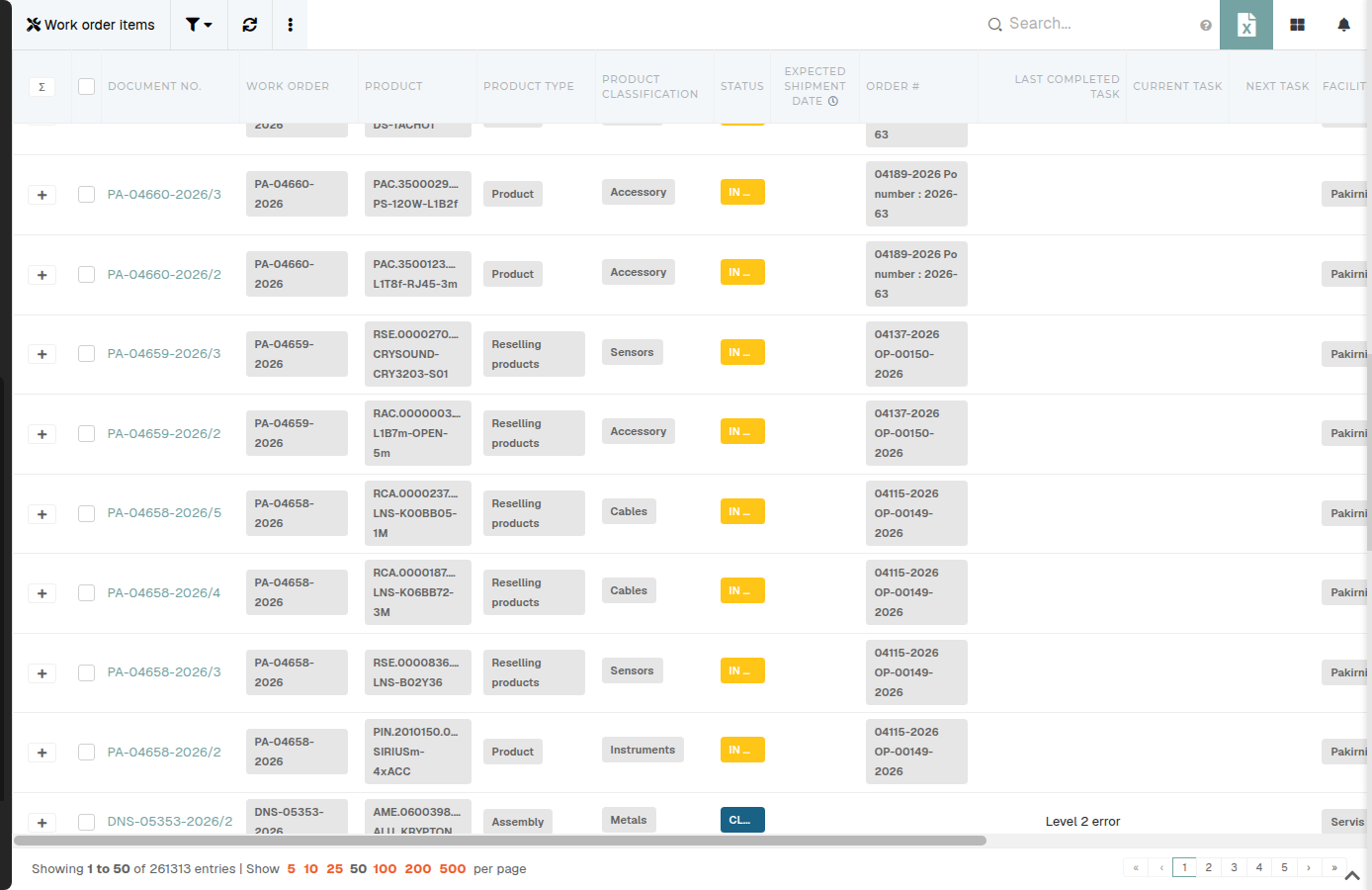 The Work order items table
2. Expand a row
Click the + button on a row to expand its parent work order's bill of material in place, with a Material flow link to trace where the material came from.
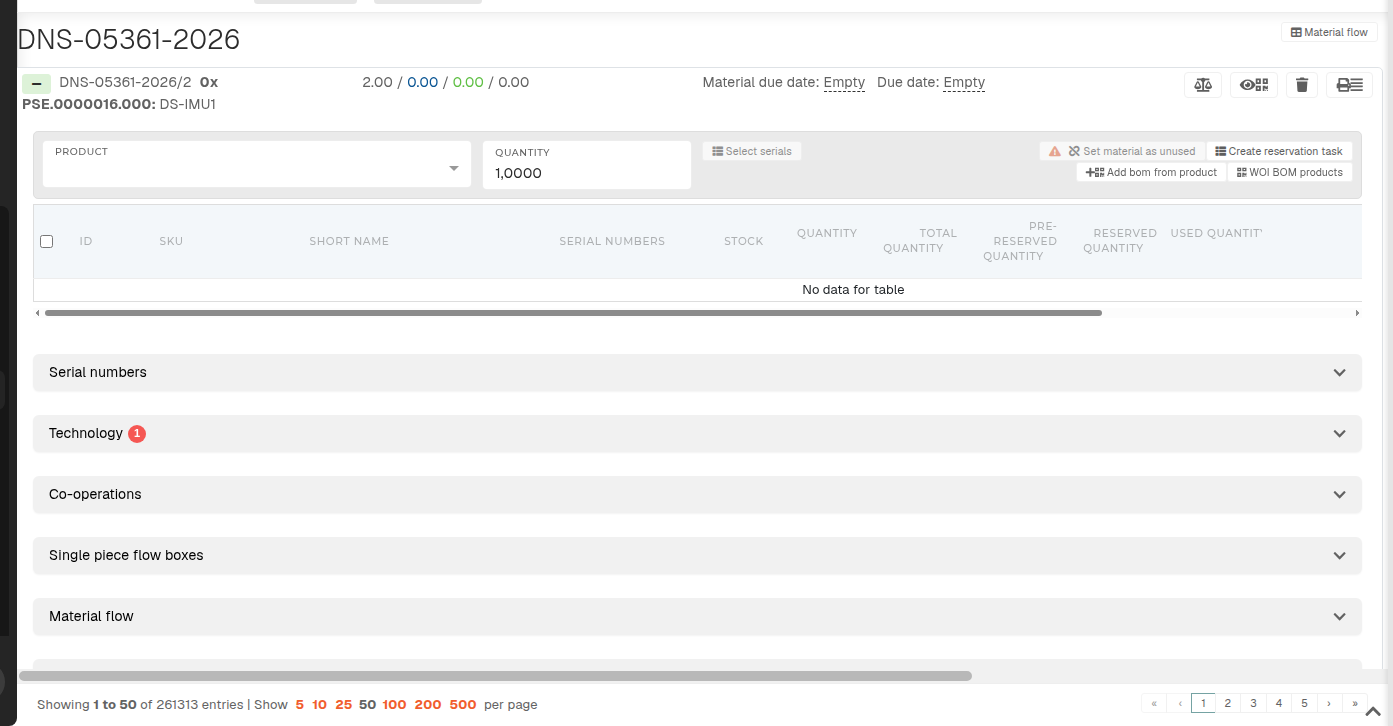 An expanded work order item, showing its bill of material
Selecting rows and clicking Reserve or Unreserve in the toolbar reserves or releases the material needed for those items ahead of production.