Appearance
Invoice statistics
Invoice aging and debt-recovery (KRD) reporting, broken down by customer, supplier, and country.
1. Open Invoice statistics
Go to Statistics > Invoice statistics. The Invoice tab shows a month-by-month breakdown of invoiced and paid amounts.
 The Invoice statistics toolbar
 The Invoice tab
2. Aging by customers / suppliers
The Aging by customers and Aging by suppliers tabs show how much each partner currently owes or is owed, split into aging buckets.
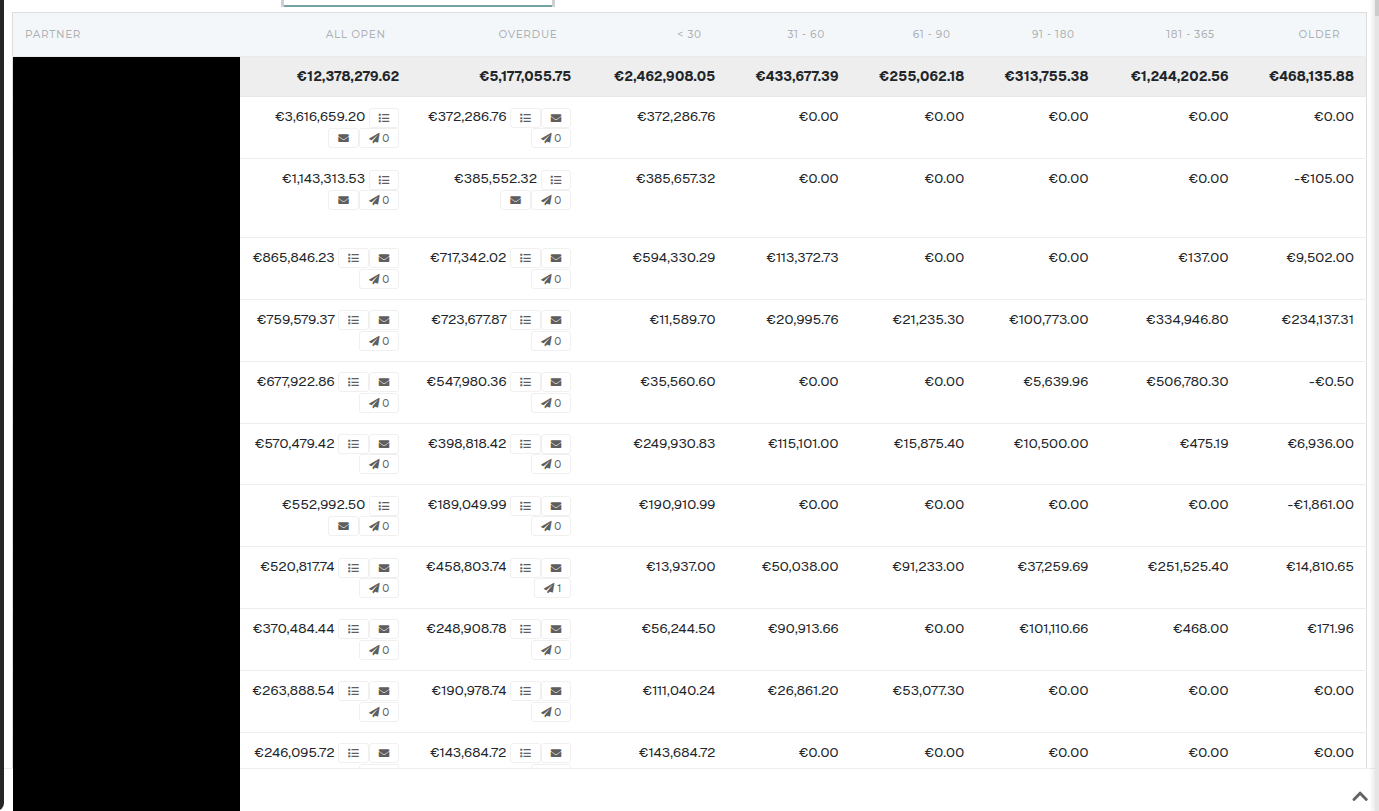 The Aging by customers tab
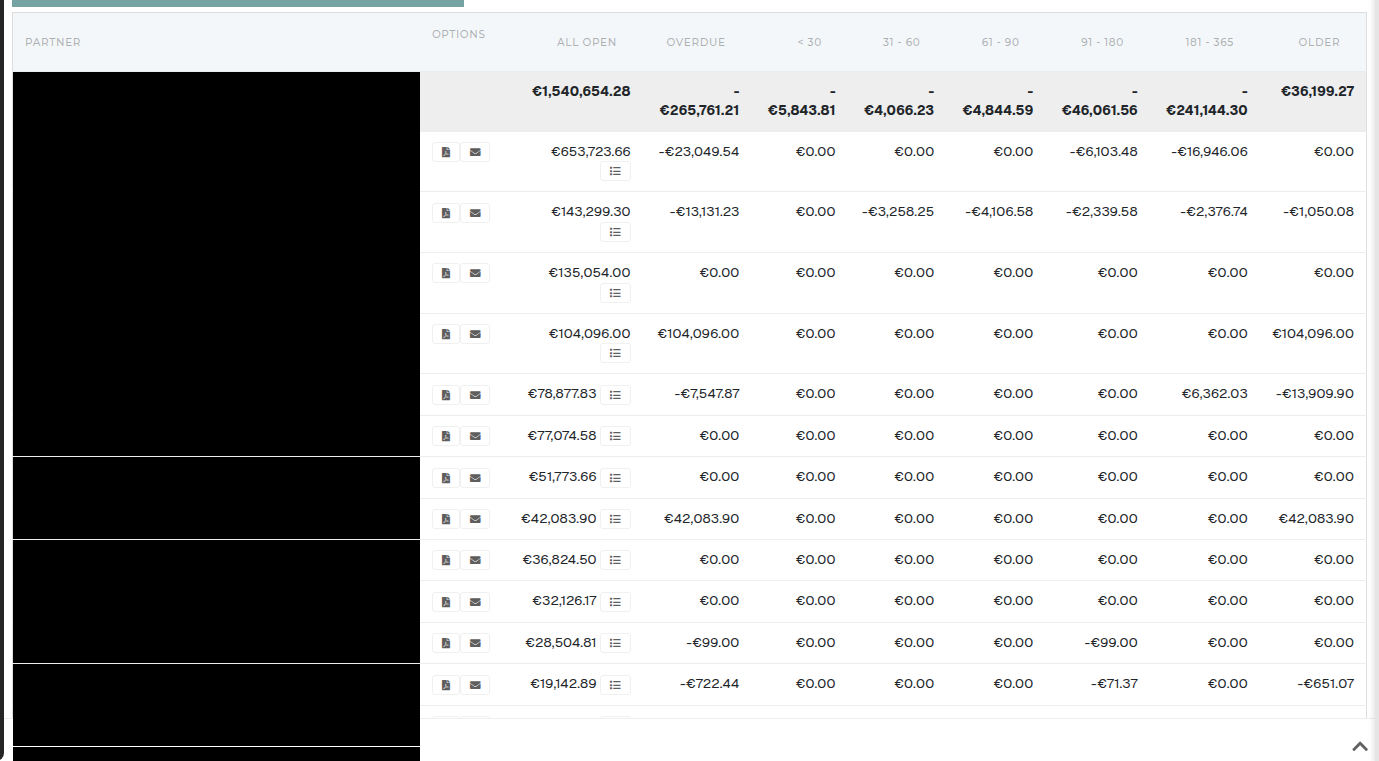 The Aging by suppliers tab
3. KRD customers / suppliers
The KRD customers and KRD suppliers tabs group the same aging data by country instead of by partner, for debt-recovery (KRD) reporting.
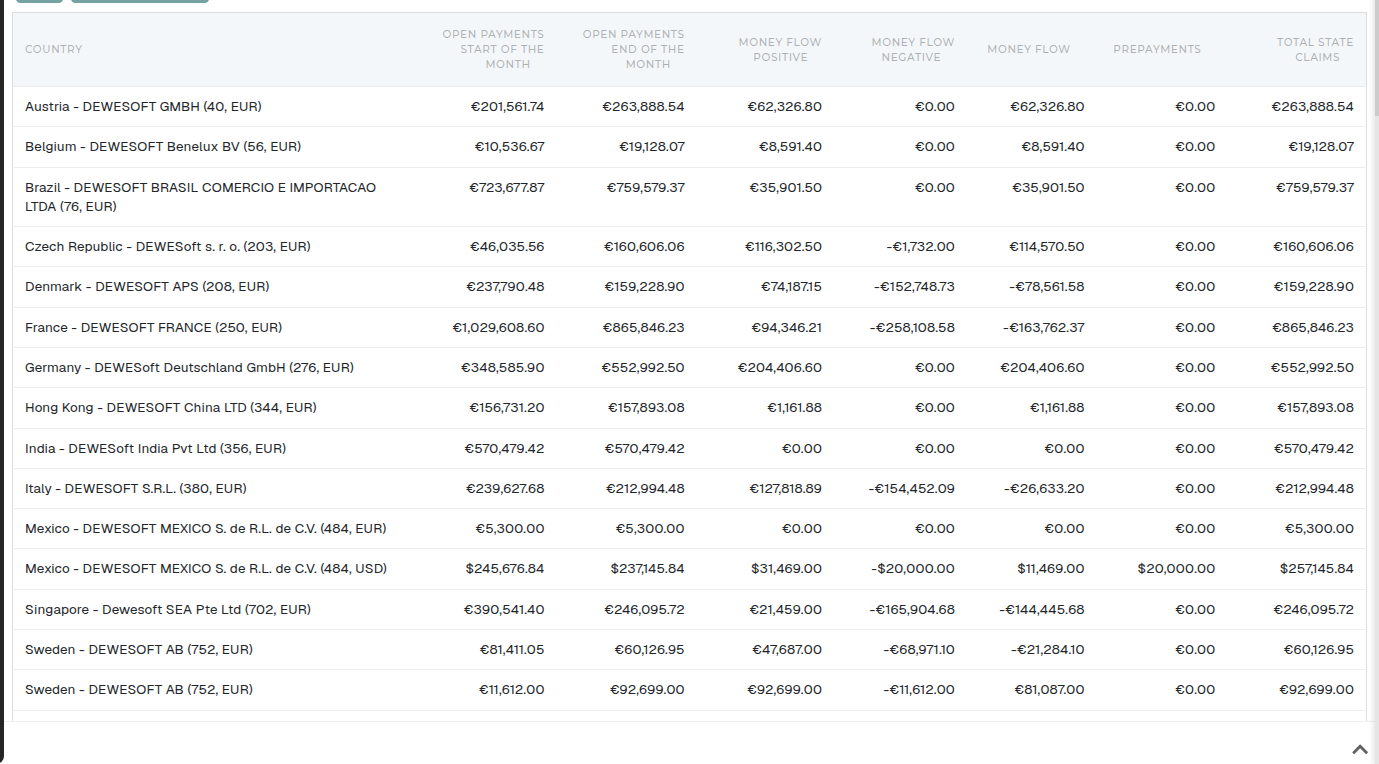 The KRD customers tab