Appearance
Delete a license
Remove a license that was created by mistake or is no longer needed.
1. Find the license and click delete
Go to Licenses, find the row, and click the trash icon.
 The delete icon on a license’s row
2. Confirm the deletion
Click Confirm. This cannot be undone from this dialog.
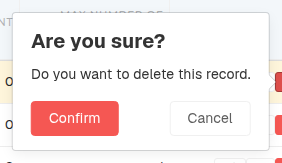 The delete confirmation
NOTE
Like most records in this ERP, this is a soft delete: the license disappears from the list, but its data isn’t immediately erased.