Appearance
Redo a level 2 or 3 entry
When a level 2 or level 3 error entry was saved with a mistake — the wrong serial, the wrong decision — redo it from the internal service instead of fixing it by hand. Saving again replaces what the previous save did, and you see every change before you confirm.
1. Start the redo on the internal service
Open the internal service and find the newest LEVEL 2 or LEVEL 3 column in the error table. Click the redo icon next to the child products icon.
 The redo icon on the newest level column
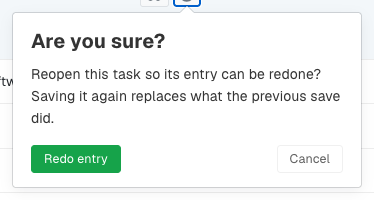 Confirm that you want to redo the entry
Click Redo entry. The task opens again, ready to be corrected.
2. Correct the entry
The previous answers are already filled in, so change only what was wrong. To swap a wrong serial, remove it with × and pick the right one with Add Serial. To change a decision, click the right one under Rework decision for further steps — here Finish instead of Kalo.
 The redo banner above the task
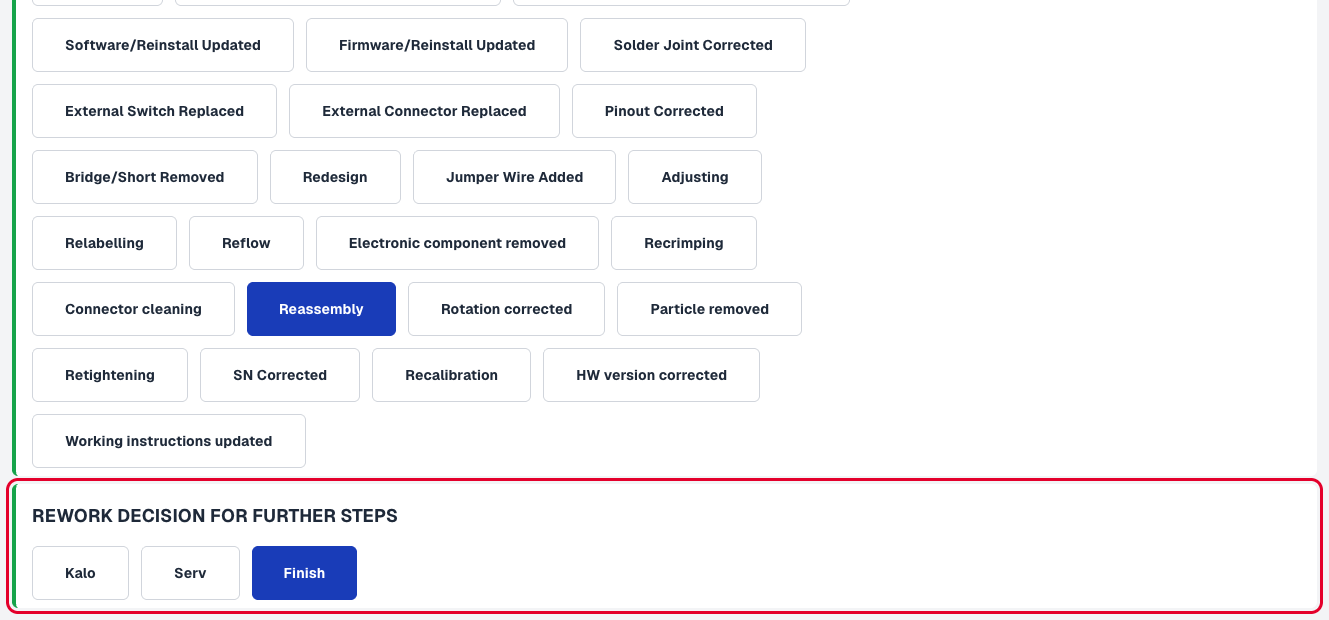 The corrected decision
3. Check what will happen
Click Finish. Before anything is saved, What will happen lists every internal service the save touches: its status and parent change, which answers are added, removed or kept, and any level 3 tasks, emails or comment changes.
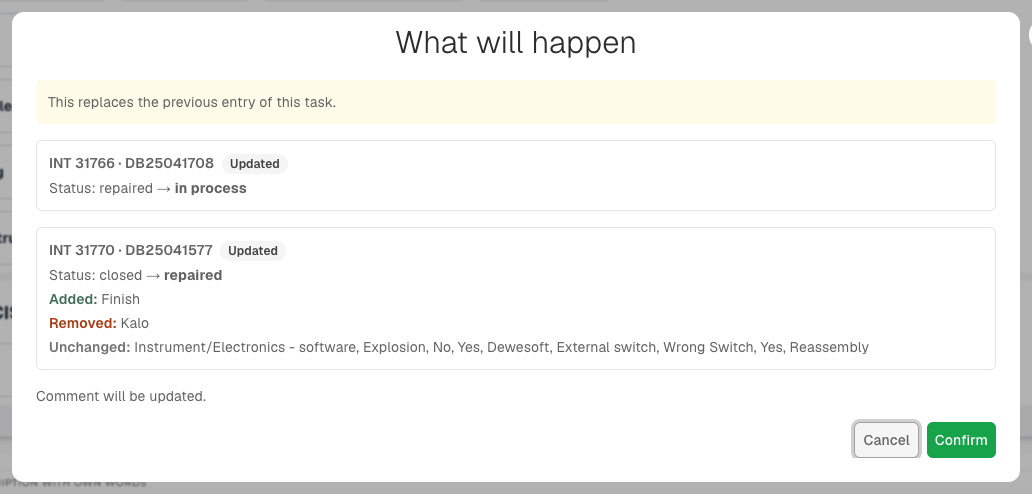 What will happen when you save the corrected entry
Click Confirm to save, or Cancel to keep editing.
NOTE
The redo icon is only shown on the newest level 2 or level 3 entry of an internal service, and only to users with the Redo level 2/3 error tracking task permission.
IMPORTANT
A redo is refused when the entry can no longer be replaced safely: a later task exists on the internal service, a task it created has already been started, a claim note was already sent to the supplier, an internal service changed since, or an internal service that would be closed still has reserved material on its work order. The reason is shown — handle it first, then redo.
TIP
What will happen is also shown on every normal level 2 or level 3 save, so you can catch a wrong serial or decision before it is saved. Entries saved before redo existed can still be redone, but their answers are not filled in — answer them again.