Appearance
Service errors editor
Defines the catalog of service error types and groups that technicians can report, and that service error reports can trigger on.
1. Open the Service errors editor
Go to Service > Service errors editor. Each panel on the left is a service error type, with its service errors as draggable chips. Drag chips from the sidebar on the right to add them to a type, or between panels to re-organize them.
 The Service errors editor toolbar
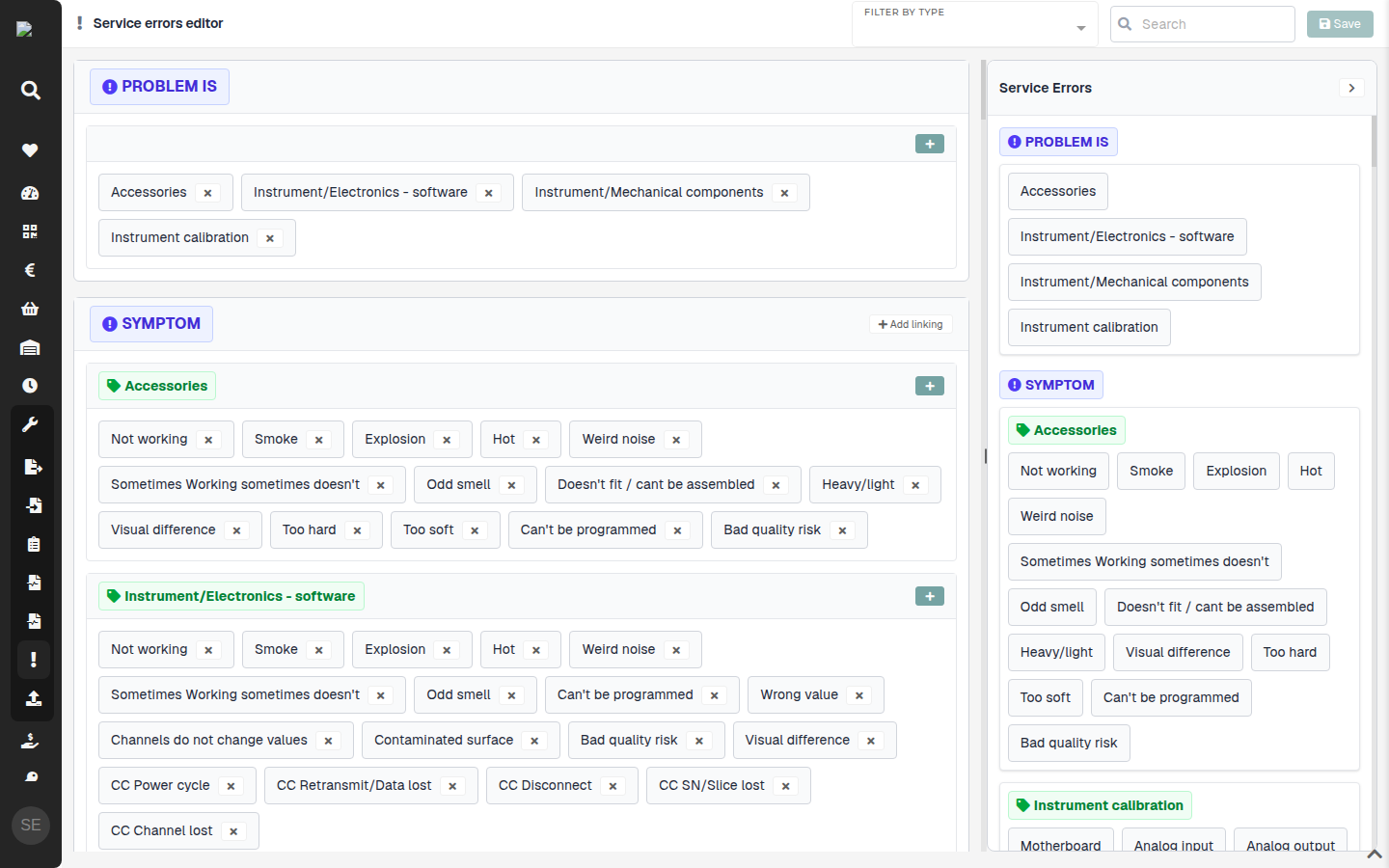 The Service errors editor, with error types on the left and all errors on the right
Click Add service error to define a new error, or Add parent group to add a new type. Click Save to persist your changes — a confirmation dialog summarizes what was added or removed before it is applied.
NOTE
This same editor also opens in a focused "selection" mode from a facility's Service Error Reporting section, to pick which errors should trigger an email report — see that page for details.