Appearance
How SKUs are generated
A product’s SKU is generated automatically from its product type, so you don’t have to invent a unique code yourself.
1. Pick a product type
Each Product type has its own SKU prefix. Picking a type fills in the SKU with that prefix and the next free number for it.
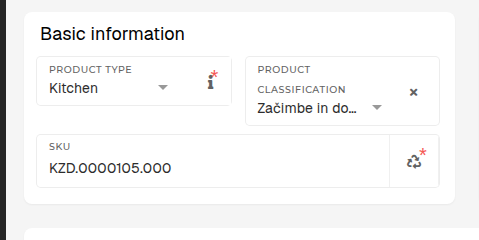 The SKU field, next to Product type
2. Regenerate it
Click the refresh icon next to the SKU to generate a new number, for example after changing the product type.
 The regenerate SKU button
NOTE
Two products never share a SKU — the next number for a type always skips any that are already taken.