Appearance
Create a task
Tasks let you assign a piece of work to yourself or a colleague. You can create one straight from the dashboard.
1. Open the task dialog
On the dashboard, click Create task.
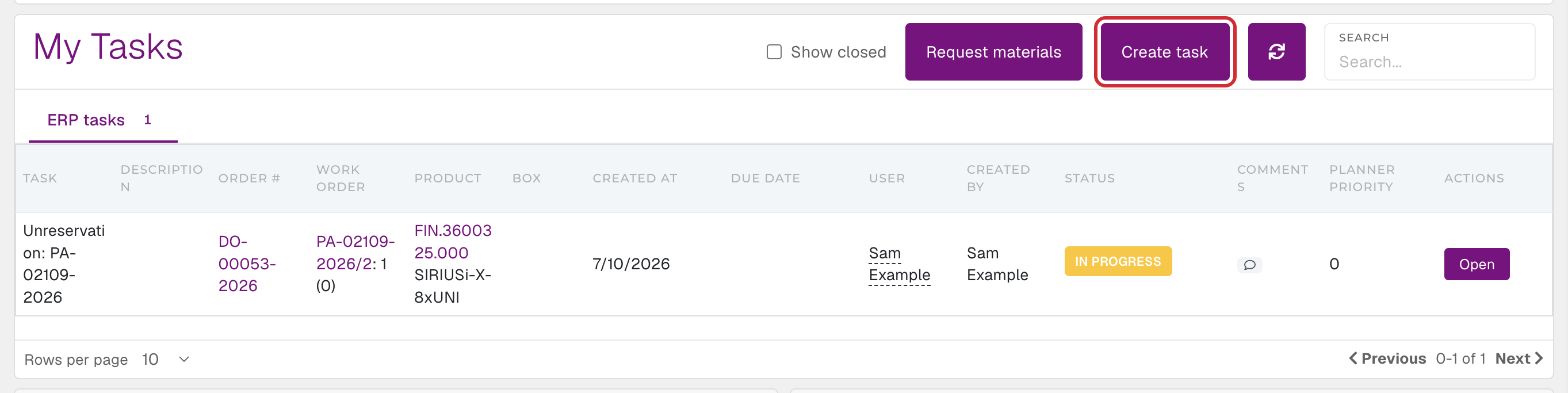 The Create task button in My tasks
2. Fill in the task
Enter a name and a description. Both fields are required.
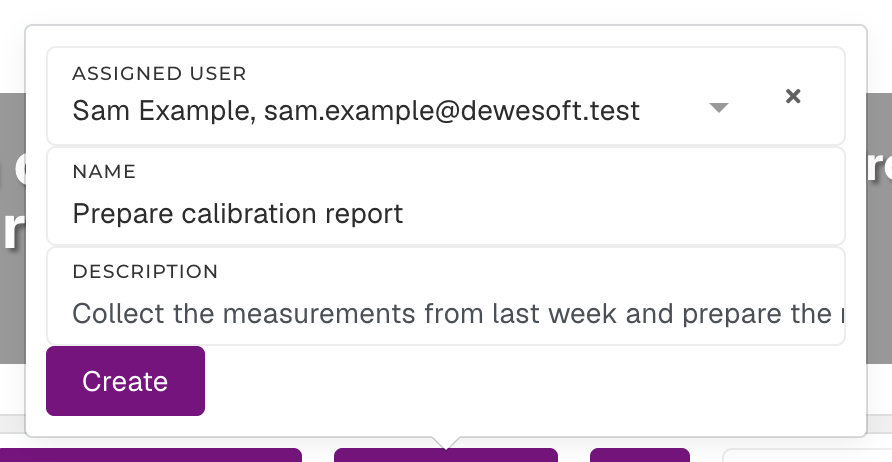 The filled-in task form
3. Save
Click Create. The task appears in My tasks.
TIP
If the name or description is empty, the task is not created.