Appearance
Require previous tasks to be completed
Some operations only make sense once the earlier ones are done — you can't calibrate before assembly is finished. Turn on Require previous tasks completed on a technology, and its tasks wait for the earlier operations on the same work order item.
1. Open the technology
Go to Technologies and open the technology whose tasks should wait for the earlier ones.
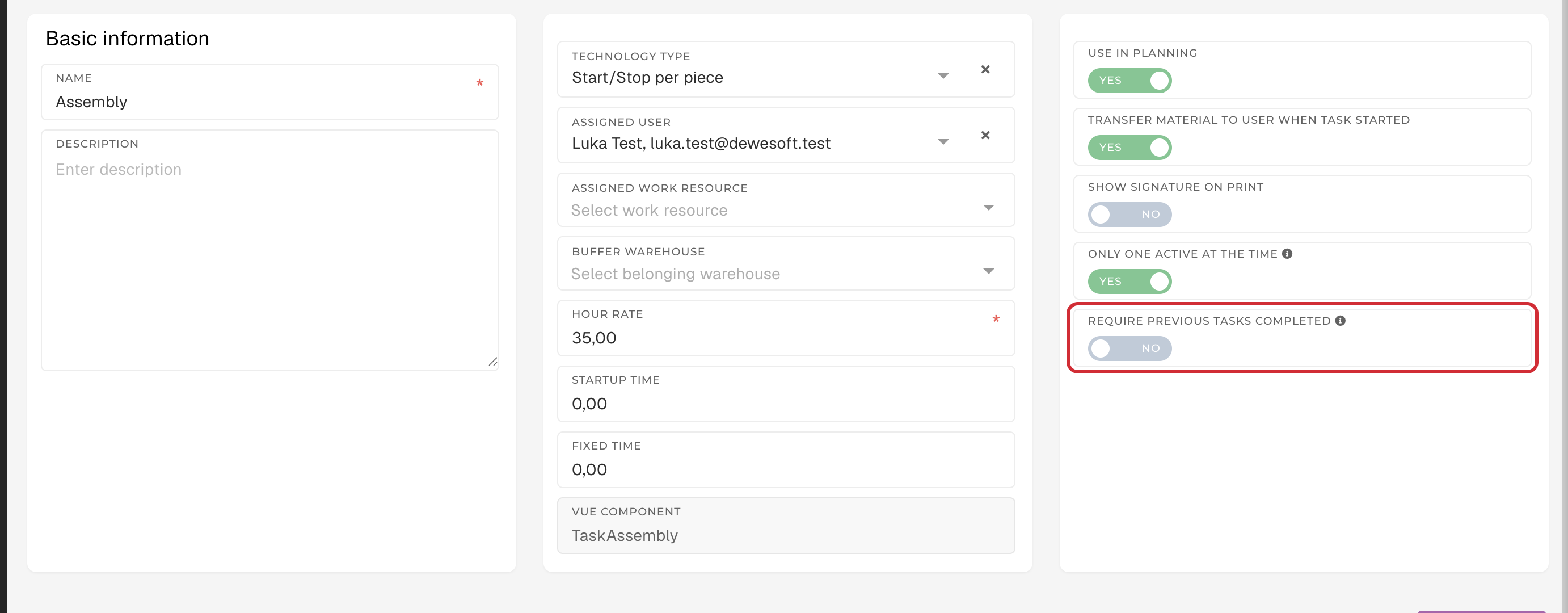 The switch on the technology form
2. Turn the switch on
Switch Require previous tasks completed to Yes and click Save.
 The switch turned on
3. What changes
For every task of this technology:
- the task can't be started while an earlier operation on the same work order item is still open;
- the item can't be sent to cooperation until those earlier operations are completed.
TIP
Hover the i next to the switch for a short reminder of what it does.