Appearance
Write a Twig template
Twig templates are print templates written in Twig instead of HTML with [placeholders]. A Twig template can extend a base template and replace only the parts it needs, it can use conditions, loops and filters, and its editor shows a live PDF preview of the unsaved template for a record you pick. This guide walks through the invoice template; Twig base templates describes the invoice and CRM quote base templates and how to change them.
1. Open a Twig template
Go to Templates and open Invoice - default (Twig).
Two fields set a Twig template apart:
- Template engine —
twigreplaces the visual Content editor with a code editor and a live preview. New templates start asplaceholder, the engine of the classic templates (Create a template). The field is hidden for mail templates. - Slug — the name other Twig templates use to load this one:
{% extends 'invoice-base' %},{% include 'invoice-footer' %}. It may contain letters, numbers,-and_, and it must be unique. Leave it empty if no other template will extend or include this one.
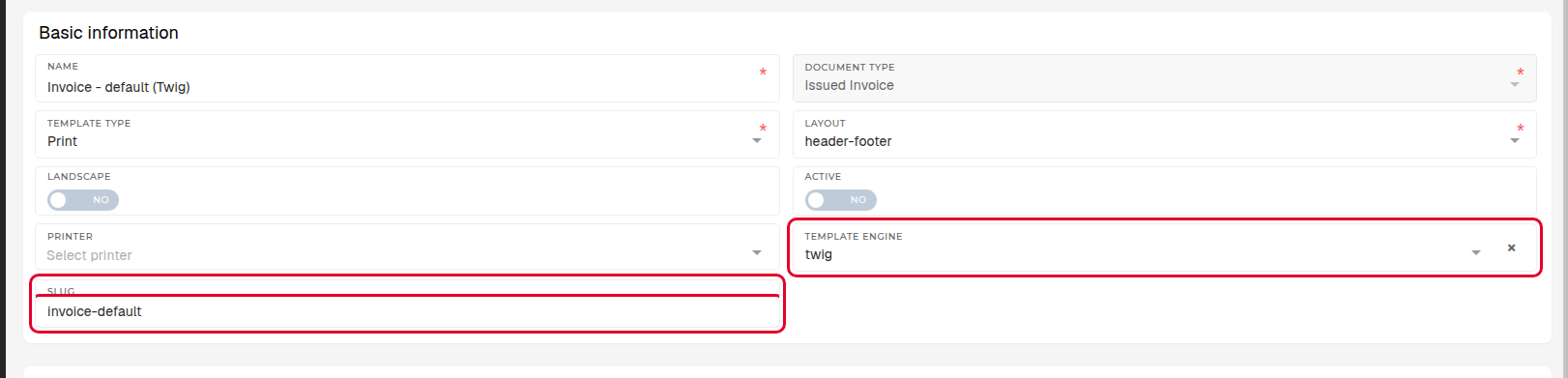 Template engine and slug of a Twig template
NOTE
The shipped Twig templates are inactive. invoice-base and quote-crm-base contain the whole document and are meant to be extended; invoice-default and quote-crm-default are starting points. Inactive templates are not offered when printing, but they can still be extended and previewed.
2. Pick a preview record
Under Content, search for a record in Preview with record and pick it. The template’s Document type decides what you can pick — an invoice here, because the document type is Issued Invoice. Nothing is saved: the record only feeds the preview and the Variables tab.
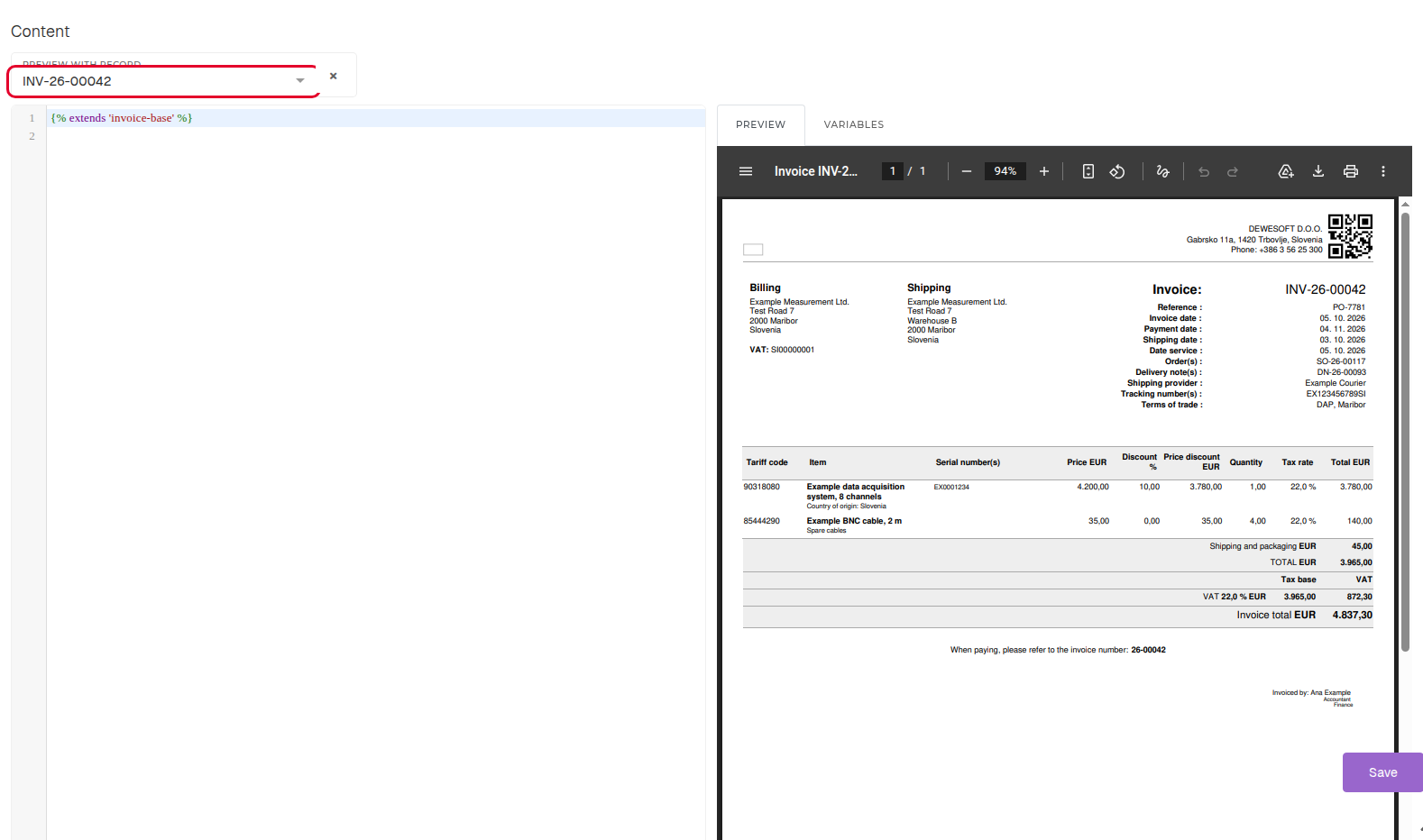 The preview record above the editor
3. Read the editor and the preview
The left side is the template’s source, the right side the PDF exactly as it will be printed — with the page header and footer of the template’s Layout and its CSS. The preview refreshes about a second after you stop typing and uses what is in the form (content, CSS, layout, landscape), even before you save.
invoice-default contains a single line, so it prints invoice-base unchanged:
twig
{% extends 'invoice-base' %}4. Override a block
A base template is divided into named blocks. A template that extends it replaces a block by defining a block with the same name; everything else is printed as in the base. Inside the block, {{ parent() }} prints the base’s version, so you can add to a block instead of rewriting it.
This adds a Project row under the invoice details (the document_info block):
twig
{% extends 'invoice-base' %}
{% block document_info %}
{{ parent() }}
<tr>
<td class="text-right small-text px-20 py-5"><span class="bold-text">Project :</span></td>
<td class="text-right small-text px-20 py-5">{{ invoice.reference_number }}</td>
</tr>
{% endblock %}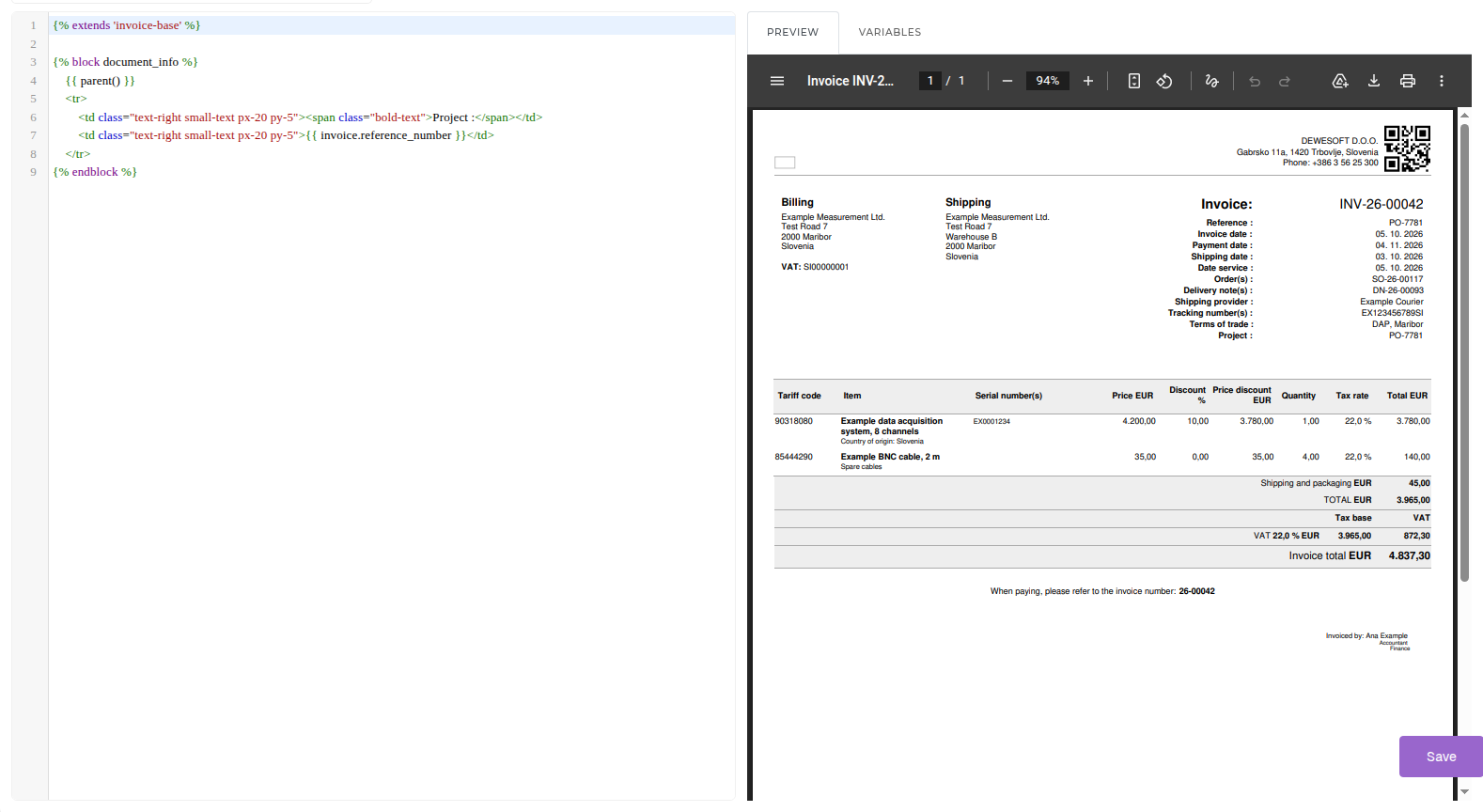 A block override and its preview
IMPORTANT
A template that extends another may only define blocks. Text or HTML outside a block is an error; only set, import and from tags may stand outside blocks.
The blocks of each base template are listed in Twig base templates.
5. Insert variables
Open the Variables tab. It shows every variable the template gets for the preview record. Put the cursor where the value should go, then click a key in the tree to insert it.
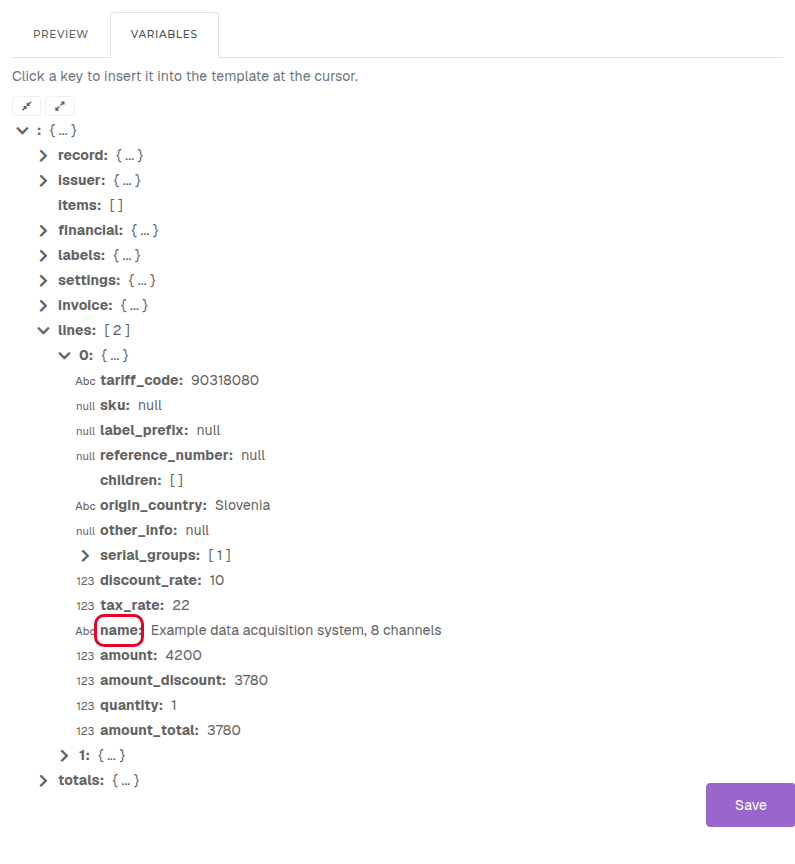 The Variables tab with the first invoice line expanded
- A value inserts its expression: invoice › document_number inserts
{{ invoice.document_number }}. - A key inside a list inserts a loop over the list: lines › 0 › name inserts
{% for row in lines %}{{ row.name }}{% endfor %}.
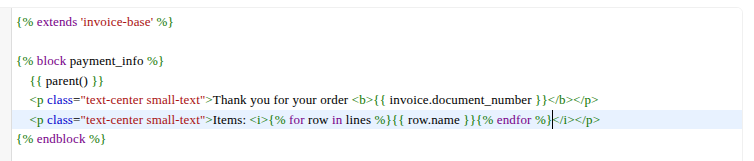 The inserted variable and loop in the editor
TIP
A variable that doesn’t exist prints as empty text instead of failing, so a typo such as {{ invoice.documnet_number }} only shows up as a gap in the preview. Pick keys from the Variables tab instead of typing them.
6. Fix errors
When the template can’t be compiled or rendered, the preview is replaced by the error and its line, and the line is marked in the editor.
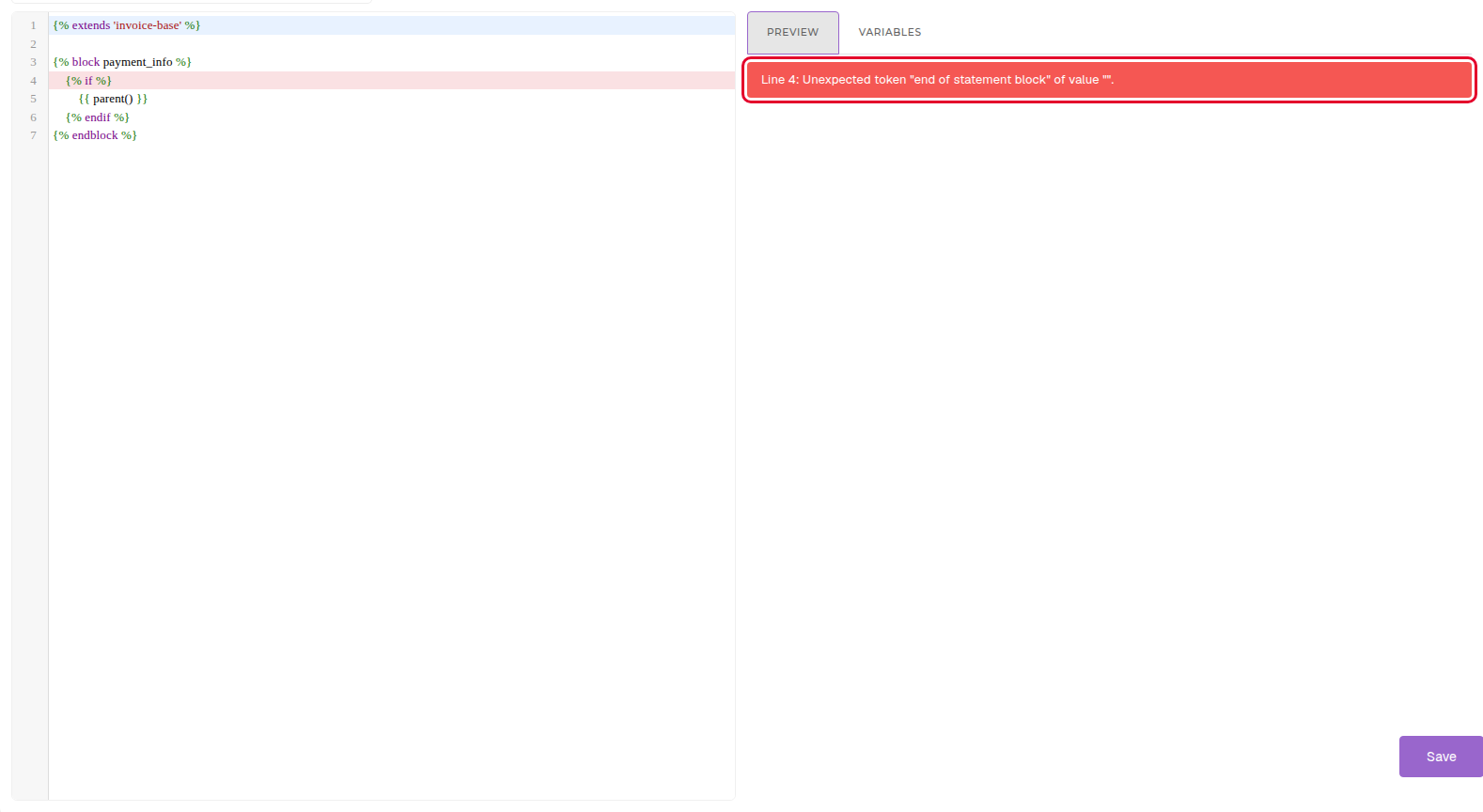 A Twig error and the marked line
- An error in a template you extend or include names that template: Error in template "invoice-base", line 12: ….
- Save runs the same check. A template with a syntax error, an unknown tag or filter, or a base template that doesn’t exist is not saved — the message reads Line 4 in template: ….
- Errors that depend on the record’s data are only found by rendering, so always check the preview with a real record before saving.
7. Save and use the template
- Don’t adapt the shipped templates for one case. Create your own template with Template engine
twig, or duplicate one. A copy keeps the fields of the original, so check its Slug: slugs must be unique. - As for any template, the Content editor unlocks after the first save.
- Turn on Active so the template is offered when printing records of its document type.
8. Know what a template may use
Templates run in a sandbox. Only the tags, filters and functions below are allowed; anything else is rejected on save and in the preview.
| Allowed | |
|---|---|
| Tags | apply, block, embed, extends, for, from, if, import, include, macro, set, with |
| Filters | abs, batch, capitalize, column, date, default, e, escape, filter, first, format, join, keys, last, length, lower, map, merge, nl2br, number_format, qr_code, raw, replace, round, slice, sort, split, striptags, title, trans, trim, upper |
| Functions | block, cycle, date, max, min, parent, range |
Filters with ERP defaults or added by the ERP:
| Filter | Example | Result |
|---|---|---|
date | {{ invoice.date_invoice|date }} | 05. 10. 2026 — the default format is d. m. Y; date('d.m.Y') for another |
number_format | {{ totals.total|number_format }} | 4.837,30 — 2 decimals, , and . by default; number_format(1, ',', '') for others |
qr_code | {{ invoice.tax_register.qr_value|qr_code(90) }} | an SVG QR code, 65 px unless you give a size; empty for an empty value |
trans | {{ 'Invoice date'|trans }} | the text in the print’s language, from the ERP API’s translation files |
- Everything printed with
{{ }}is HTML-escaped. Fields that store HTML —invoice.additional_text,invoice.legal_notes, the quote’s notes, descriptions andlabels— need|raw. Never use|rawon plain text. - The data are plain values and lists; calling methods on objects is not allowed.
assets.print_cssis the shared print stylesheet andassets.img_dirthe folder with the print images. The base templates link the stylesheet with<link rel="stylesheet" href="{{ assets.print_css }}">.
WARNING
null|date prints today’s date, not an empty string. Guard optional dates the way the base templates do: {{ invoice.date_service ? invoice.date_service|date }}.