Appearance
Fixed asset event history
The event history shows everything that happened to a fixed asset in one list, newest first: when it was received and activated, its invoices, partial liquidations, stock movements, changes of important fields and the assets that belong to it.
1. Open the event history
Open a fixed asset and click the Event history tab.
 The Event history tab
2. Read the events
Each row shows the Date, the kind of Event, a Description, the Change and the User who made it. Click a link in Description to open the invoice, write-off or asset it refers to.
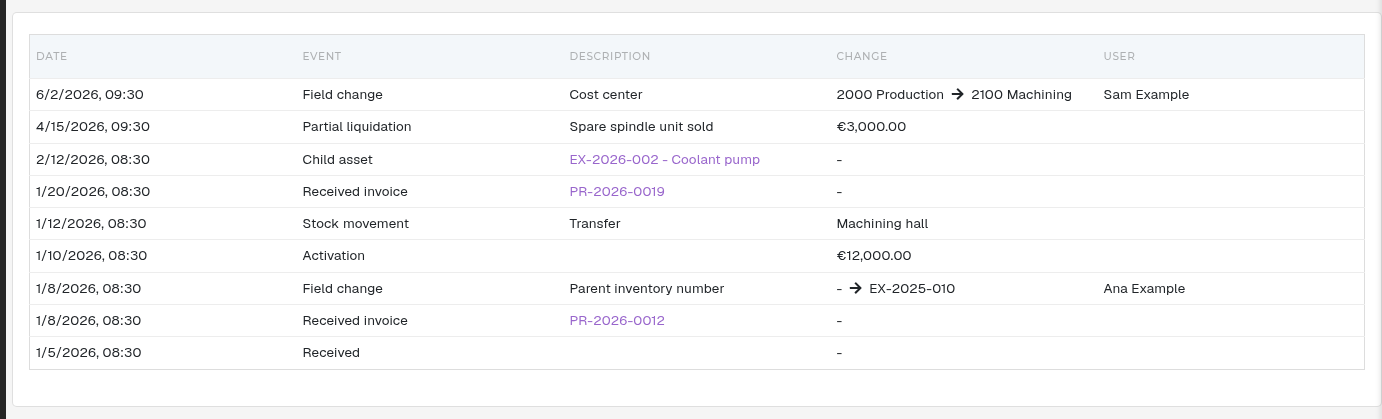 The event history of the example machine
| Event | What it shows |
|---|---|
| Received | The Date received |
| Received invoice | Each received invoice linked to the asset (opens the invoice) |
| Activation | The activation date and the acquisition value at that time |
| Stock movement | Every stock movement of the asset’s serial number, with its warehouse location |
| Partial liquidation | Each partial liquidation with its description and amount |
| Liquidation | The Liquidation date (opens the goods write-off) |
| Child asset | Every asset whose Parent inventory number is this asset’s inventory number (opens that asset) |
| Field change | A change of Amount, Depreciation rate, Cost center, Cost Center DW3.0, Inventory number, Parent inventory number, Serial number, Activation date or Liquidation date — old value → new value and who changed it |
TIP
Use the field changes to check the account card: if Amount or Depreciation rate changed after some months had already been posted, those postings were not corrected automatically — see Fixed asset account card.
NOTE
When a goods transfer of the asset is booked, the asset’s cost center is taken from the transfer (or from the destination warehouse location) — that change shows up here as a Cost center field change.