Appearance
Partner sanction screening
Checks a partner against international sanctions watchlists, so you don’t do business with a sanctioned company or person.
1. Check a partner’s sanction status
A colored dot next to the Sanctions toggle shows the partner’s status at a glance: green for clear, yellow for pending review, red for a confirmed hit, or black if the partner has been blocked from business.
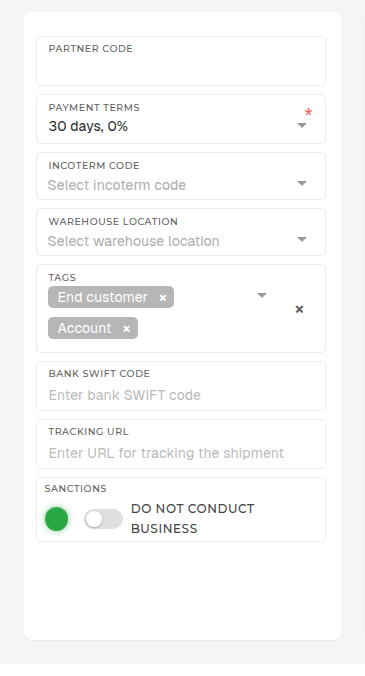 A partner’s sanction status indicator
2. Review sanction screening results
The Sanctions section further down the page lists every screening match found for this partner — the matched name, source watchlist, and a similarity score — with an AI analysis to help judge whether it’s a real match, and a switch to confirm a result isn’t a genuine hit. This partner has none.
 The Sanctions section
3. Refresh screening on demand
Click Refresh sanctions in the toolbar to re-run screening immediately, instead of waiting for the next scheduled check.
CAUTION
If a partner is blocked for a confirmed sanctions hit, review it carefully before unblocking — this check exists to keep the company out of sanctions violations.