Appearance
Stock adjustment items
A flattened, filterable table of every line item across all stock adjustments.
1. Open Stock adjustment items
Go to Warehouses > Stock adjustment items. Each row is one adjusted line: the product, lot, warehouse location, and quantity.
 The Stock adjustment items toolbar
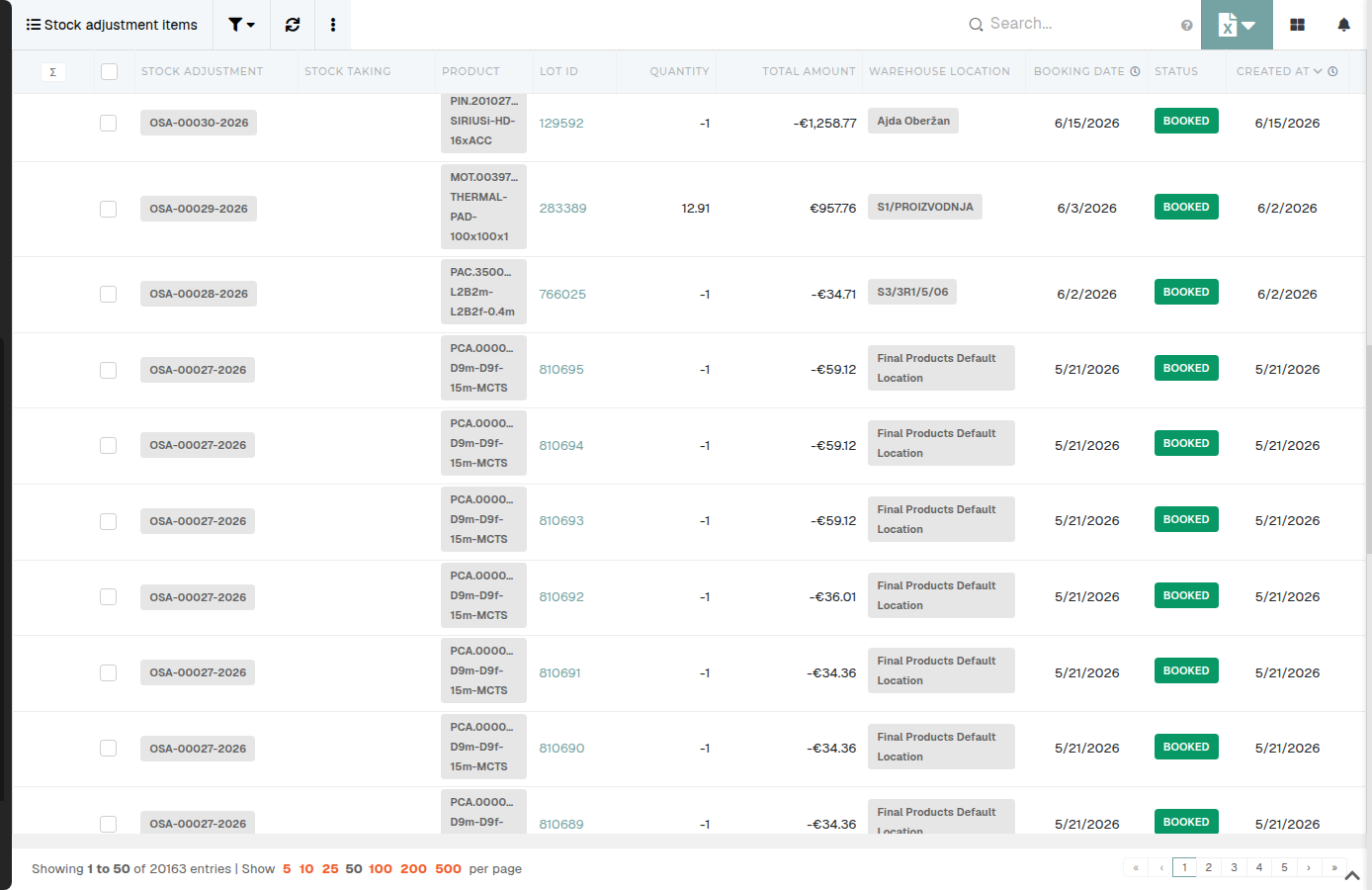 The Stock adjustment items table
This is a browse-only report — to change an adjustment, open the parent stock adjustment document instead.