Appearance
Activate fixed assets
Activating a fixed asset puts it into use: it sets the Activation date, from which the asset starts to depreciate, and creates the transfer-to-use record (zapisnik o prenosu osnovnega sredstva v uporabo). You can activate several assets at once.
1. Select the assets to activate
Go to Products > Fixed assets and tick the assets you want to put into use. Assets that are not activated yet have an empty Activation date.
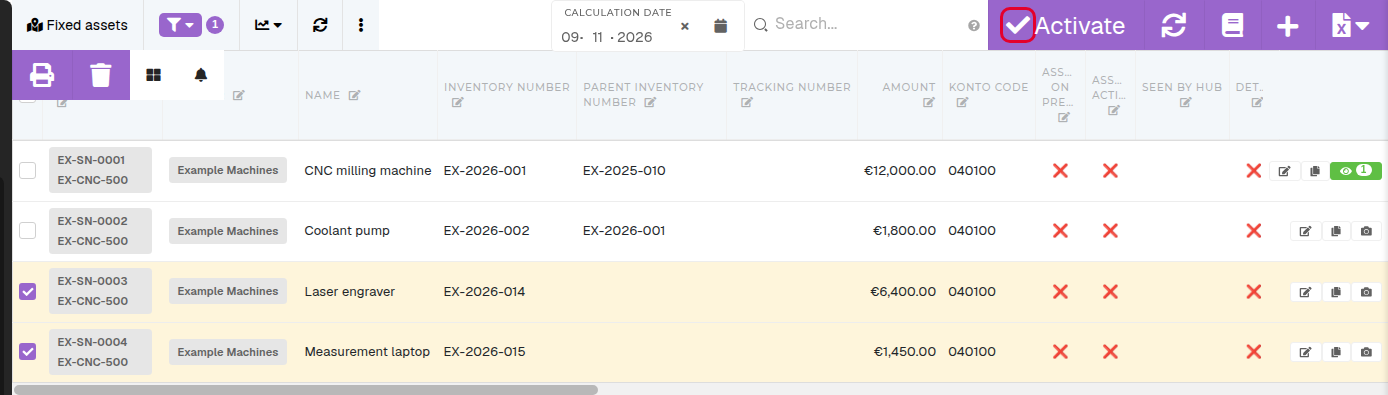 Two assets selected on the Fixed assets list
2. Pick the activation date
Click Activate in the top bar. Enter the Activation date — the day the assets were put into use — and click Activate.
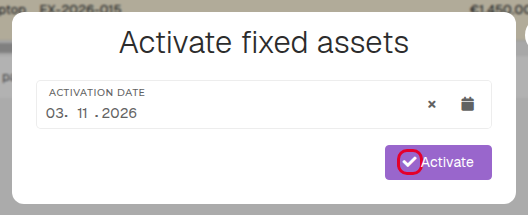 The Activate fixed assets dialog
 The assets are activated
Depreciation starts in the month of the activation date — that month counts as a full month, whatever the day. See How depreciation is calculated.
WARNING
If one of the selected assets is already activated, none of them are activated and you see Fixed assets already activated: with their inventory numbers. Untick those assets and try again.
3. Or activate one asset from its page
On a fixed asset that is not activated yet, click Activate at the top of the page. The button disappears once the asset is activated.
 The Activate button on a fixed asset
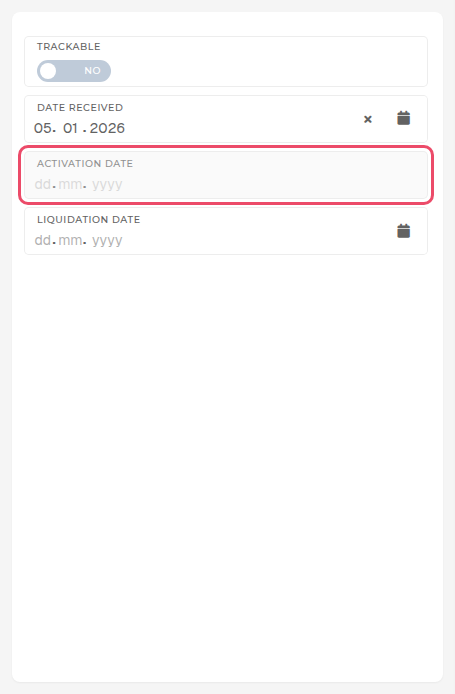 The Activation date can no longer be typed in
NOTE
Activation date on the fixed asset form is read-only. The only way to set it is Activate, so every activated asset has its transfer-to-use record.
4. Find the transfer-to-use record
Activation attaches the record to the asset as a PDF named after its inventory number — zapisnik-o-aktivaciji-EX-2026-001.pdf for asset EX-2026-001. Open it from the File manager section at the bottom of the asset’s page, or from the green eye button in the asset’s row on the Fixed assets list.
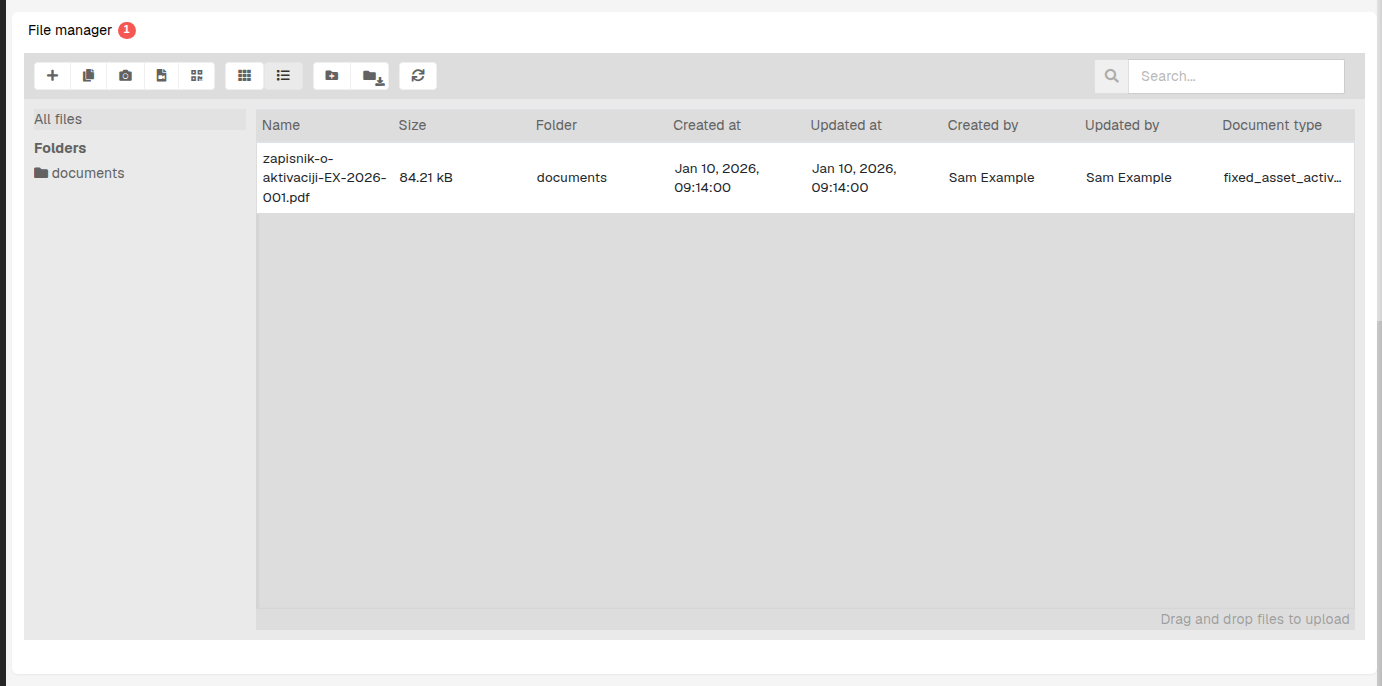 The record in the File manager
The record is in Slovenian and contains:
- Inventarna številka and Naziv OS — the inventory number and name
- Nahajališče — the warehouse location of the asset’s serial number
- Nabavna vrednost (EUR) — the Amount
- Glavni dobavitelj and Št. prejetega računa — the supplier and the numbers of the linked received invoices
- Konto, Amortizacijska doba (100 ÷ rate, in years) and Amortizacijska stopnja
- Stroškovno mesto — the cost center
- Datum začetka uporabe (datum aktiviranja) / datum začetka amortiziranja — the activation date
- the place and date, and Odgovorna oseba — the person who activated the asset
TIP
Fill in the supplier, the received invoices, the cost center and the depreciation rate before you activate — the record is printed once, with the data the asset has at that moment.
NOTE
Activation does not post anything yet. The acquisition and the depreciation appear on the account card after Recalculate postings.