Appearance
Export the depreciation journal
Once a month, download the depreciation journal (temeljnica amortizacije): an Excel file with the depreciation and the (partial) liquidations of all fixed assets for one month, ready to be imported into Business Central as a general journal.
Before you export a month, make sure its postings exist: recalculate the postings of all assets once the month has ended — tick all assets on the list and click Recalculate postings (the two arrows icon) in the top bar.
1. Open the depreciation journal
Go to Products > Fixed assets and click Depreciation journal (the book icon) in the top bar.
 The Depreciation journal button
2. Pick the month and download
Pick the Month — the previous month is already selected — and click Download the depreciation journal. The file opens in a new browser tab.
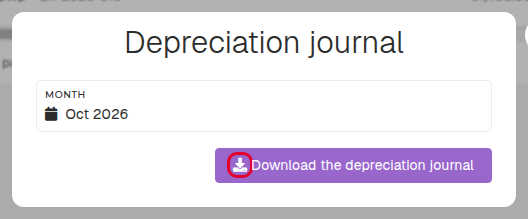 The Depreciation journal dialog
NOTE
You can only export a month that has ended. The current month is not finished yet, so its depreciation is not posted.
3. Check what is in the file
The file is called temeljnica-amortizacije-YYYY-MM-….xlsx and uses the Business Central journal template SPLOŠNO with batch AMORTIZACI. Every line has an account (Št. konta), a counter account (Št. protikonta) and the amount in Znesek v breme; Št. dokumenta is the month and Št. zunanjega dokumenta reads like AM26-04.
The lines come from the postings on the assets’ account cards dated in that month:
- Amortizacija — the month’s depreciation, added up per depreciation account, accumulated depreciation account and cost center (Šifra bližnjične dimenzije 1). Dated on the last day of the month.
- For every liquidation and partial liquidation two lines, named after the asset’s inventory number:
- Odpis — the book value that is written off, on account 720010 against the accumulated depreciation account,
- Izločitev (full liquidation) or Delna izločitev (partial liquidation) — the acquisition value that is removed, on the accumulated depreciation account against the Konto code usage.
For the example machine (12,000 €, 20 %, 3,000 € partially liquidated on 15 April 2026 with 200 € of depreciation already collected on that part), April 2026 gives:
| Opis | Št. konta | Št. protikonta | Znesek v breme |
|---|---|---|---|
| Amortizacija | 432000 | 050000 | 200,00 |
| Odpis EX-2026-001 | 720010 | 050000 | 2.800,00 |
| Delna izločitev EX-2026-001 | 050000 | 040000 | 3.000,00 |
Lines with an amount of 0 are left out.
4. If the export is refused
The export checks all assets first and refuses to create the file when something is missing. The message tells you which assets to fix.
 The export stops while postings are missing
| Message | What to do |
|---|---|
| Depreciation postings for … are not generated yet for … fixed assets (…). Recalculate them on the fixed asset account card first. | Some assets should have depreciation or a liquidation in that month but have no posting yet. Tick them on the list and click Recalculate postings, then export again. |
| Fixed assets have a missing depreciation, accumulated depreciation or usage account, or the same account on both sides: … | The ledger account of these assets is missing the Depreciation account, Accumulated depreciation account or Konto code usage, or two of them are the same. Set up the accounts and export again. |
WARNING
Keep in mind when you book the file:
- The write-off account 720010 is fixed — it is not taken from the ledger account.
- The journal does not use the Konto code shown on the account card. The asset’s acquisition value is removed from the Konto code usage, and depreciation goes to the Accumulated depreciation account.
- The export only checks that the postings exist, not that they are still correct. If an asset’s amount, rate or partial liquidations were changed after its months were posted, check its account card first — see the warning in Fixed asset account card.