Appearance
Troubleshooting: find serial stock source
To find where a serial’s stock came from — a goods receipt, a goods rebook, or a stock adjustment — check its stock transactions.
1. Open Stock transactions and filter to inbound
On the serial page, open Stock transactions — it lists every movement for that serial’s lot. Tick Only IN to filter down to inbound transactions only.
2. Read the source document
The Document no. column links straight to the originating goods receipt, goods rebook or stock adjustment.
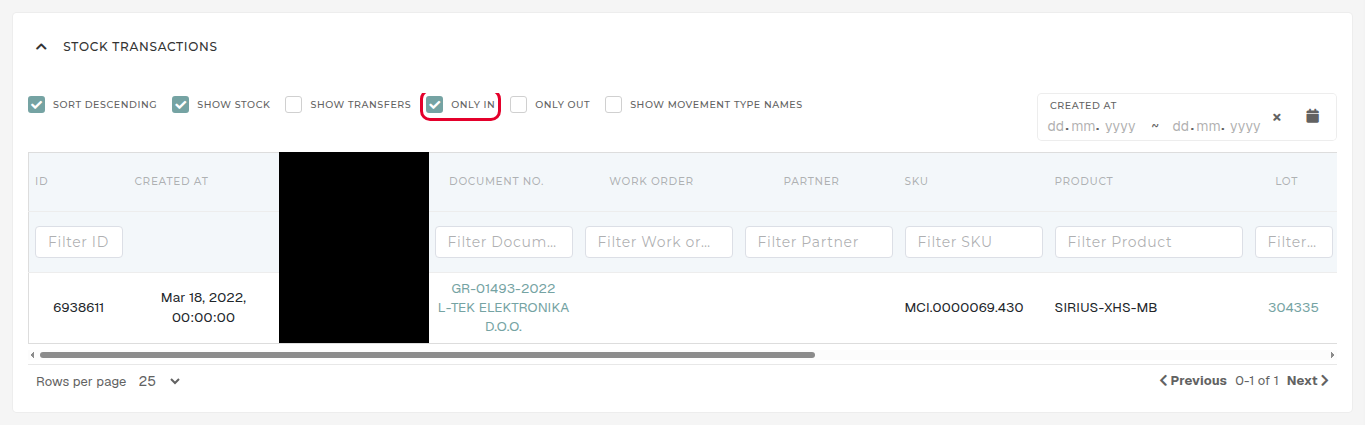 The serial’s inbound stock transactions
NOTE
This requires the View serials and View stock transactions permissions. A serial tracked by lot shows the same history on its lot’s own page.