Appearance
Products
The Products list is the catalog of everything the company makes, buys or sells: materials, parts, tools and finished goods.
1. Open Products
Go to Products. The table lists every product in the company.
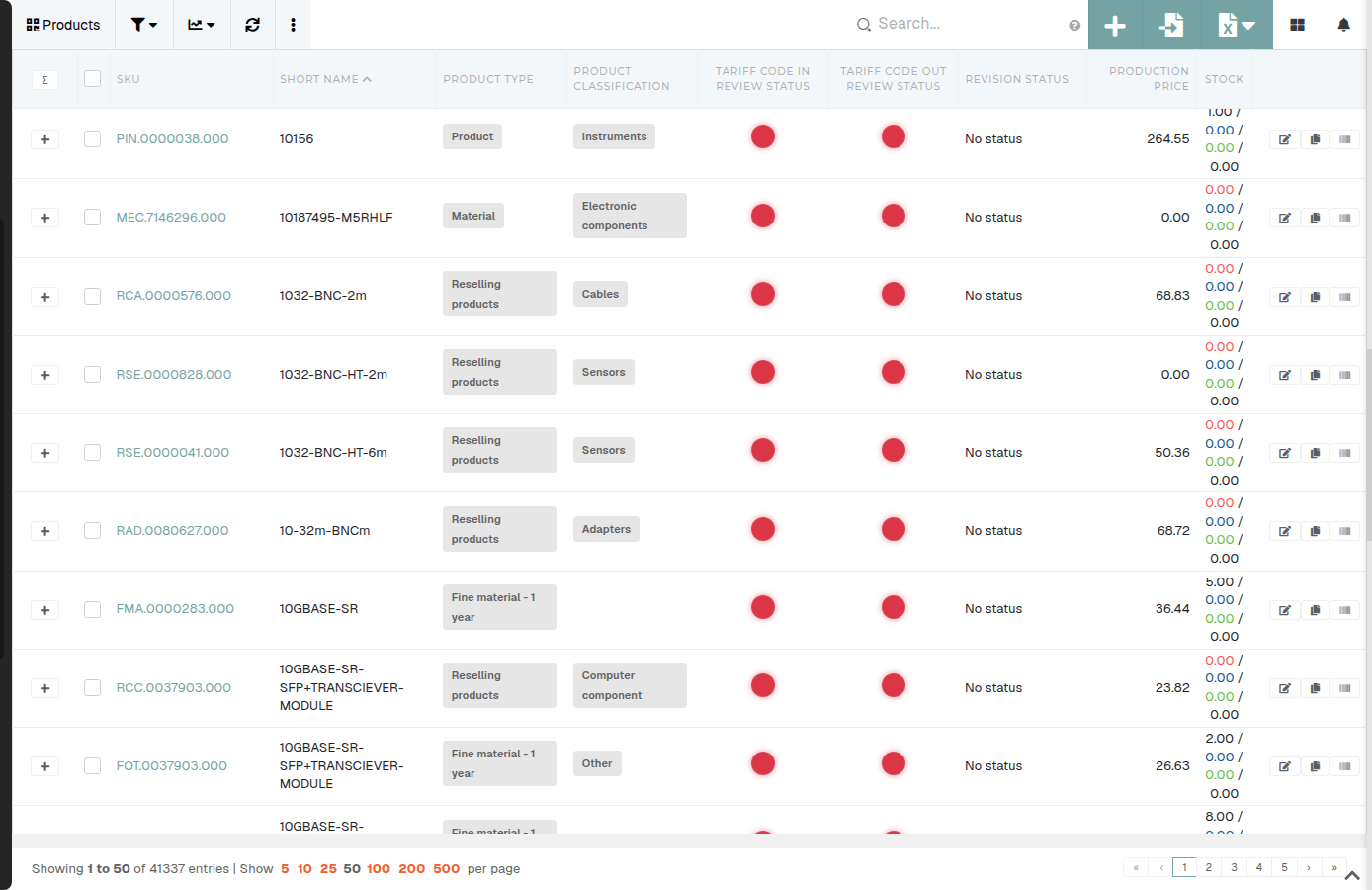 The Products list
2. Read the columns
By default the table shows the SKU, Short name, Product type, Product classification, tariff code review statuses, Revision status, Production price and Stock. Many more columns are available — open the table menu (the filter icon) to add them.
3. Use the row actions
Each row has an edit icon to open the product and a copy icon to duplicate it.
 The row actions
See Create a new product, Update an existing product and Delete a product for those flows.