Appearance
Update a work location
Change a work location’s name, its Hidden and Paid lunch options, and its addresses.
1. Open a work location
Go to Work locations and click the edit icon next to a location.
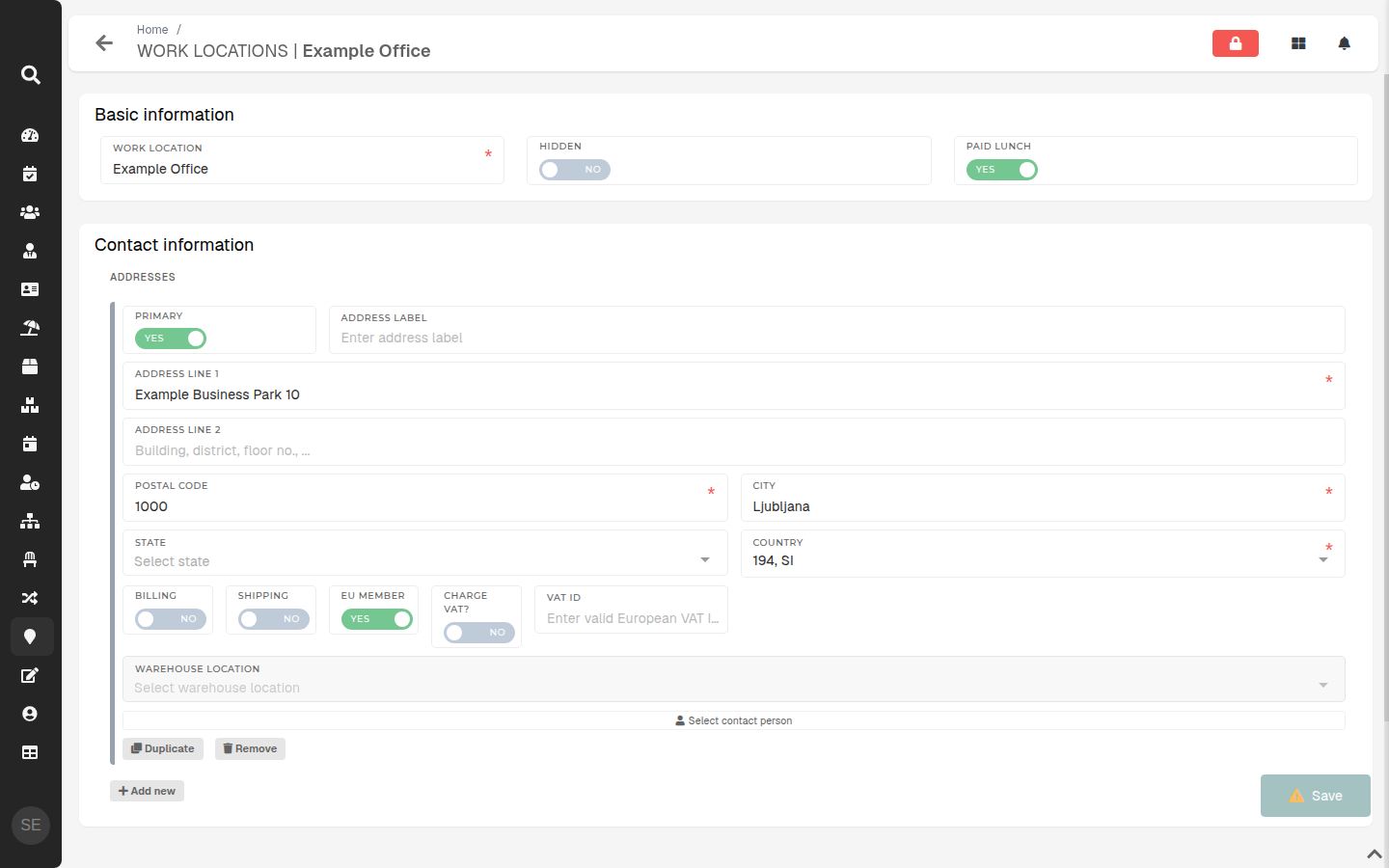 The work location page
2. Edit the basic information
Change Work location, Hidden or Paid lunch under Basic information, then click Save.
 Editing Hidden and Paid lunch
3. Manage the addresses
The Contact information section lists the location’s addresses. Click Add new for another one, or Remove on a row to delete it.
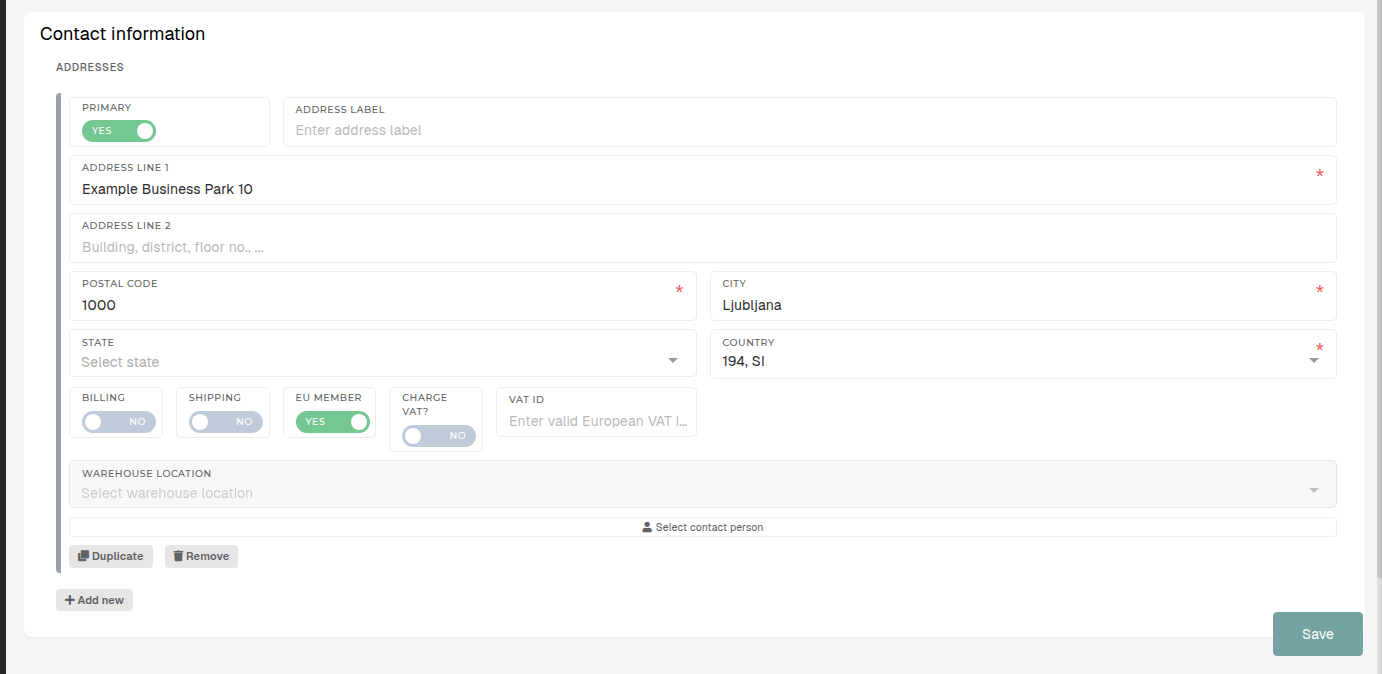 The Contact information section
4. Save your changes
Click Save.
 The Save button