Appearance
HR departments
The HR departments list is the company’s org chart: every department, its lead, parent department and cost center in one table.
1. Open HR departments
Go to HR > HR departments. The table lists every department in the company.
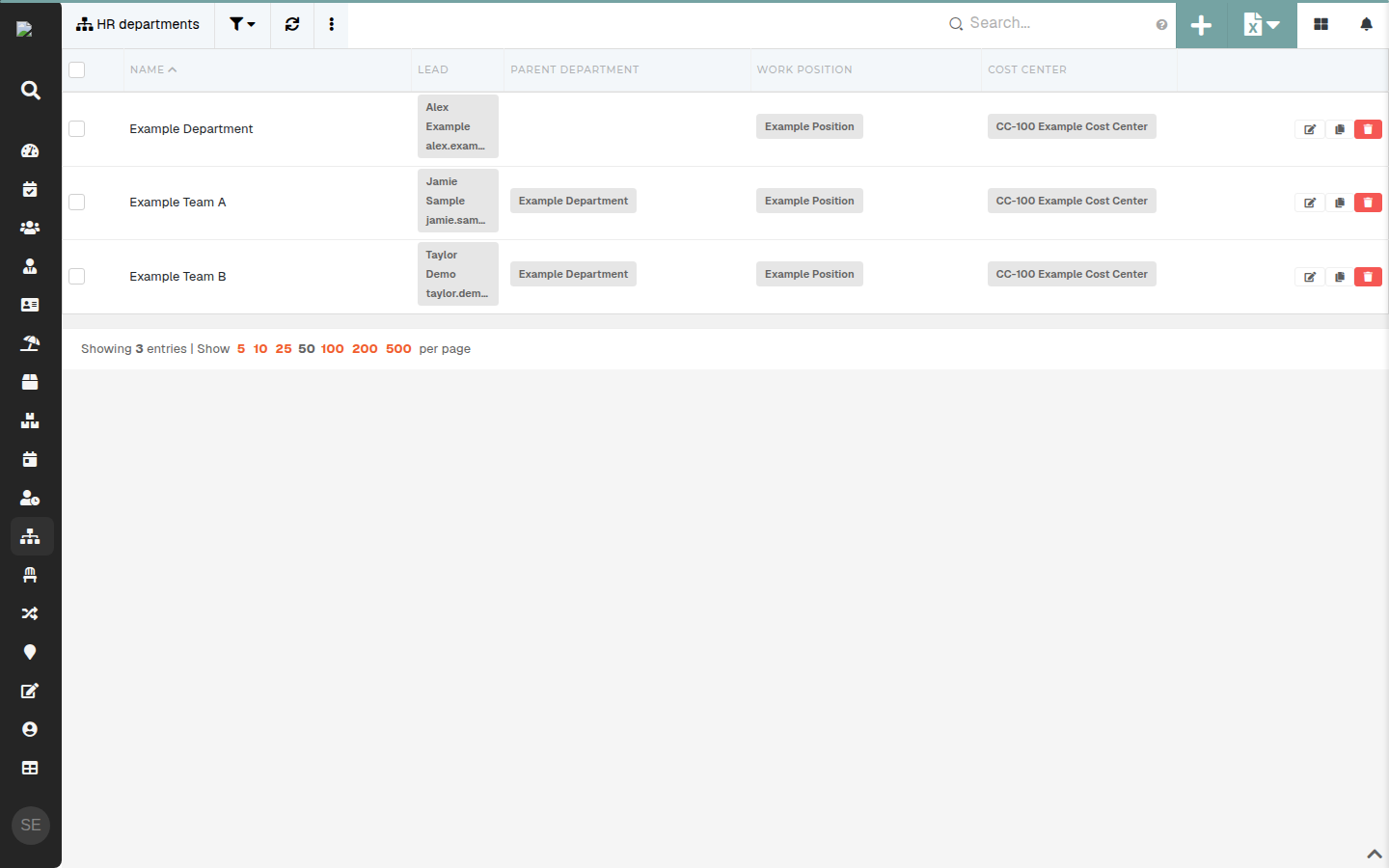 The HR departments list
2. Read the columns
By default the table shows:
- Name, Lead and Parent — the department, who runs it, and which department it sits under.
- Work positions — every position assigned to the department.
- Cost center — the cost center this department books expenses to.
A few more columns are hidden by default — Public name, Description and Lunch time. Click the funnel icon in the top bar to show or hide columns and to filter the list.
3. Use the row actions
Each row has an edit icon to open the department, a copy icon to duplicate it, and a trash icon to delete it.
 The row actions
See Create an HR department and Delete an HR department for those flows, and Update an HR department for everything on the department page itself.