Appearance
Rewards and bonuses
A reward or bonus is a cash payment given to one employee for a specific month — for example a performance bonus or a one-off reward.
1. Open Rewards and bonuses
Go to HR > Rewards & bonuses. The table lists every reward or bonus given to an employee.
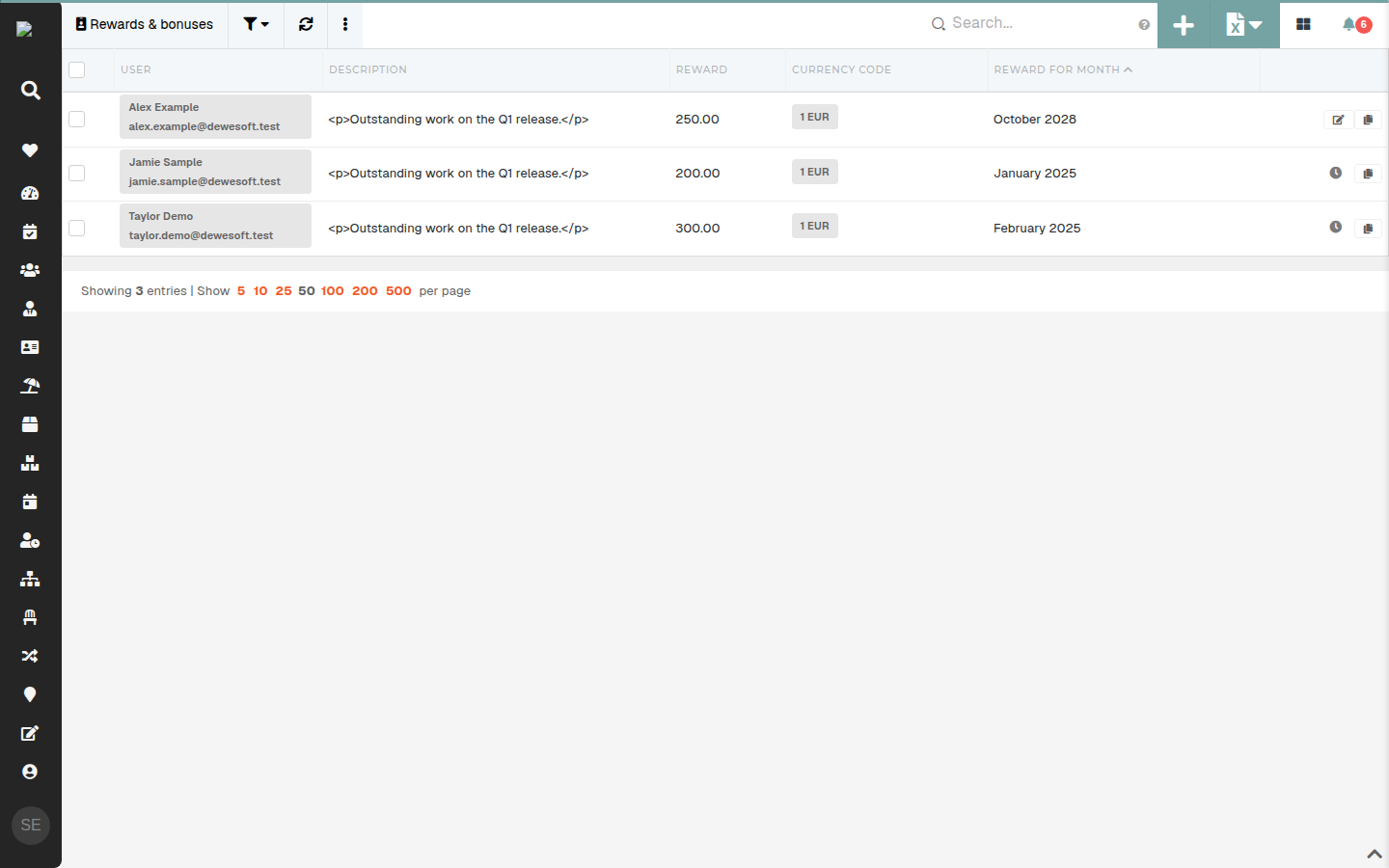 The Rewards and bonuses list
2. Read the columns
By default the table shows:
- User — the employee the reward or bonus was given to.
- Description — what the reward or bonus is for.
- Reward — the amount.
- Currency code — the currency the amount is in.
- Reward for month — which month the reward or bonus applies to.
Click the funnel icon in the top bar to show more columns (for example ID) or to filter the list.
3. Use the row actions
Each row has an edit icon to open the reward or bonus, and a copy icon to duplicate it — unless its month has already passed, in which case a clock icon shows instead and the row can no longer be edited.
 The row actions
 A locked row, from a month that has already passed
See Create a new reward or bonus and Delete a reward or bonus for those flows, and Update a reward or bonus for everything on its own page.