Appearance
Invoice a rental order
A rental order is created from a rental quote. You invoice it once a month, and every invoice covers the next rental period.
1. Check the rental dates
The order keeps the Rental period (months) from the quote. Rented from is set to the shipment date when the order is shipped, and Rented to is calculated as Rented from + rental period whenever one of them changes. You can change all three.
 Rental period, Rented from and Rented to on the order
2. Create the monthly invoice
In the side panel, open Invoices and click Create new invoice.
- Rental period from is the day after the period of the last invoice, or Rented from for the first invoice.
- Rental period to is one month later, but never after Rented to.
- All items of the order are listed with their full quantity — a rental order is invoiced in full every month, also before it is shipped.
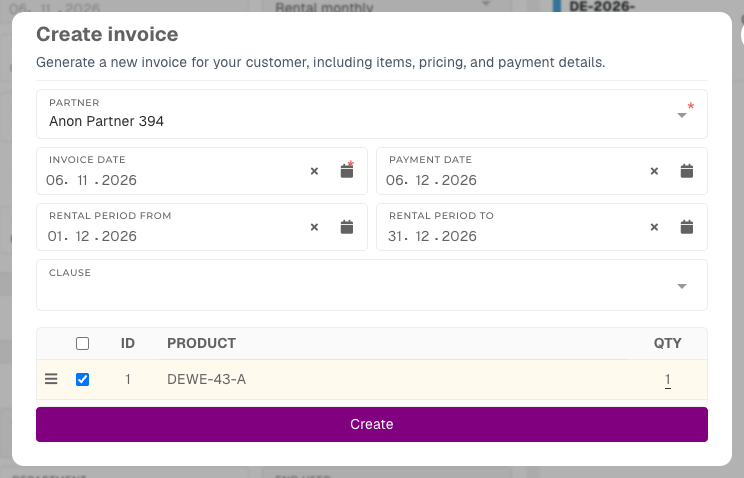 Create invoice with the rental period
Change the dates if needed and click Create. The rental period is printed on the invoice and shown in its Dates section.
TIP
A reminder email before the next invoice is due can be sent automatically — see Set up rental notifications.